Images to PDF — photos into one document.
Receipts, ID scans, a stack of pages shot on your phone. Pick the images, choose a page size, done.
- Where your images goNowhere
- Image quality keptUp to 2000 px
- WatermarkNone
Each photo is redrawn on a canvas inside this tab — which also fixes the sideways photos your camera stores — then written into the PDF. Nothing is transmitted, so nothing can be kept.
Turning photos and scans into a single PDF
A PDF made from phone photos is what most organisations actually want when they ask for a scanned document. The two things that usually go wrong are orientation and page size, so both are handled explicitly here.
- Drop in the images. JPG, PNG and WebP all work. The thumbnails let you confirm each photo is the one you meant, and the arrow buttons reorder them — the page order follows the list.
- Choose a page size. A4 and Letter are the two standards most forms expect. "Match the image" makes each page the exact proportions of its photo, which avoids the white bars you get when a portrait photo is forced onto a landscape page.
- Pick a margin. None for scans that should fill the page, or a small margin if the document will be printed and might be bound.
- Build and download. The PDF is assembled in the tab and saved to your downloads. The result shows the final page count and file size.
When this comes up
- Returning a signed form. Photograph the signed page, convert it to PDF, and send a file that opens correctly on the recipient’s system instead of a HEIC image from a phone.
- Submitting ID or proof of address. Most portals accept only PDF. This produces one file with front and back in the right order.
- Scanning with a phone instead of a scanner. Multiple pages photographed in sequence become a single document that reads like a scan.
- Building a simple portfolio. A handful of images as one PDF is still the most portable format for sending work to someone who may open it on a phone.
A worked example: twelve photos into one document
Twelve phone photos at 4 MB each become a PDF of roughly 48 MB, because images are embedded rather than recompressed. Set 1920 px as the longest side first and the same document lands near 8 MB — still sharp at A4 print size and small enough to email.
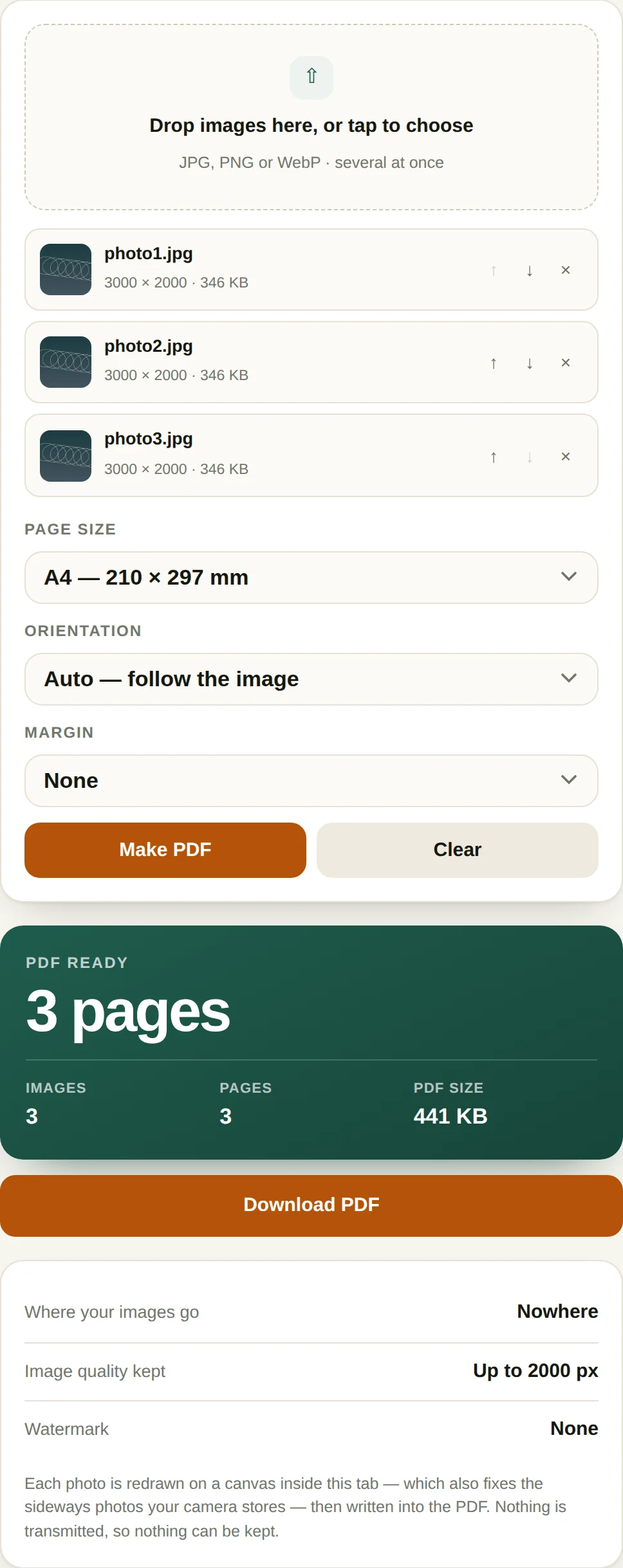
Page size changes the look more than anything else. A4 with auto orientation gives every photo a portrait or landscape page matching its own shape, which is right for a mixed set. Fit makes each page exactly the image, producing twelve different page sizes — fine on screen, awkward to print. A 0 mm margin fills the page and loses the edges to the printer's unprintable border; 18 mm is a sensible default for anything destined for paper.
Order follows the file list, and that is where scanned batches go wrong: img2.jpg sorts before img10.jpg in a name sort. Rename with zero-padded numbers first, or drag to reorder before generating.
Where images-to-PDF goes wrong
- Rotation from EXIF. A photo taken sideways carries an orientation tag, and a converter that ignores it produces a sideways page. Check one sample before sending a sixty-page scan.
- HEIC from iPhones. Most browsers cannot decode HEIC. Export as JPEG first — iOS does it automatically when you share through "Copy Photo".
- Resolution versus file size. 300 dpi at A4 is 2480 × 3508 px. Less prints soft; much more just inflates the file.
- Transparent PNGs. Transparency is flattened, usually to white. Fine for a logo, wrong for anything designed against a dark background.
Questions
Why do my photos come out sideways?
Phone cameras store the image rotated and record the rotation in an EXIF tag rather than rotating the pixels. Some PDF tools ignore that tag, so a photo that looks upright on your phone appears rotated in the PDF. This tool redraws each image through a canvas first, which applies the EXIF rotation before the image is embedded.
Does this reduce image quality?
Images are embedded as JPEG at high quality, so there is one re-encode. For photographs this is visually indistinguishable; for screenshots with fine text it is still sharp but not bit-identical to the original PNG. If you need a lossless PDF, that is a different tool and a much larger file.
Can I mix portrait and landscape photos?
Yes. With "match the image" each page takes its own photo’s orientation, so a landscape photo gets a landscape page. With A4 or Letter selected, portrait photos go on portrait pages and landscape photos on landscape pages.
Is there a limit on how many images?
Only memory. Twenty or thirty phone photos is comfortable on any device. Several hundred large photos on a phone may run into memory limits, in which case splitting the job into two PDFs and merging them afterwards works fine.
More PDF tools
All-Access — every tool, one payment
This tool is free and stays free. All-Access removes the upgrade prompt and unlocks every tool on this site.
- Every current tool, fully unlocked
- Every tool added later, included free
- No ads, no signup, no subscription